Personal World
The Realm tab is split into Primary Realm, Personal Realm, and Community Realm. In Personal World, you create and manage your own Realm—a world others can visit and interact in. Build your space, then invite others to explore and play.
1. Create a World
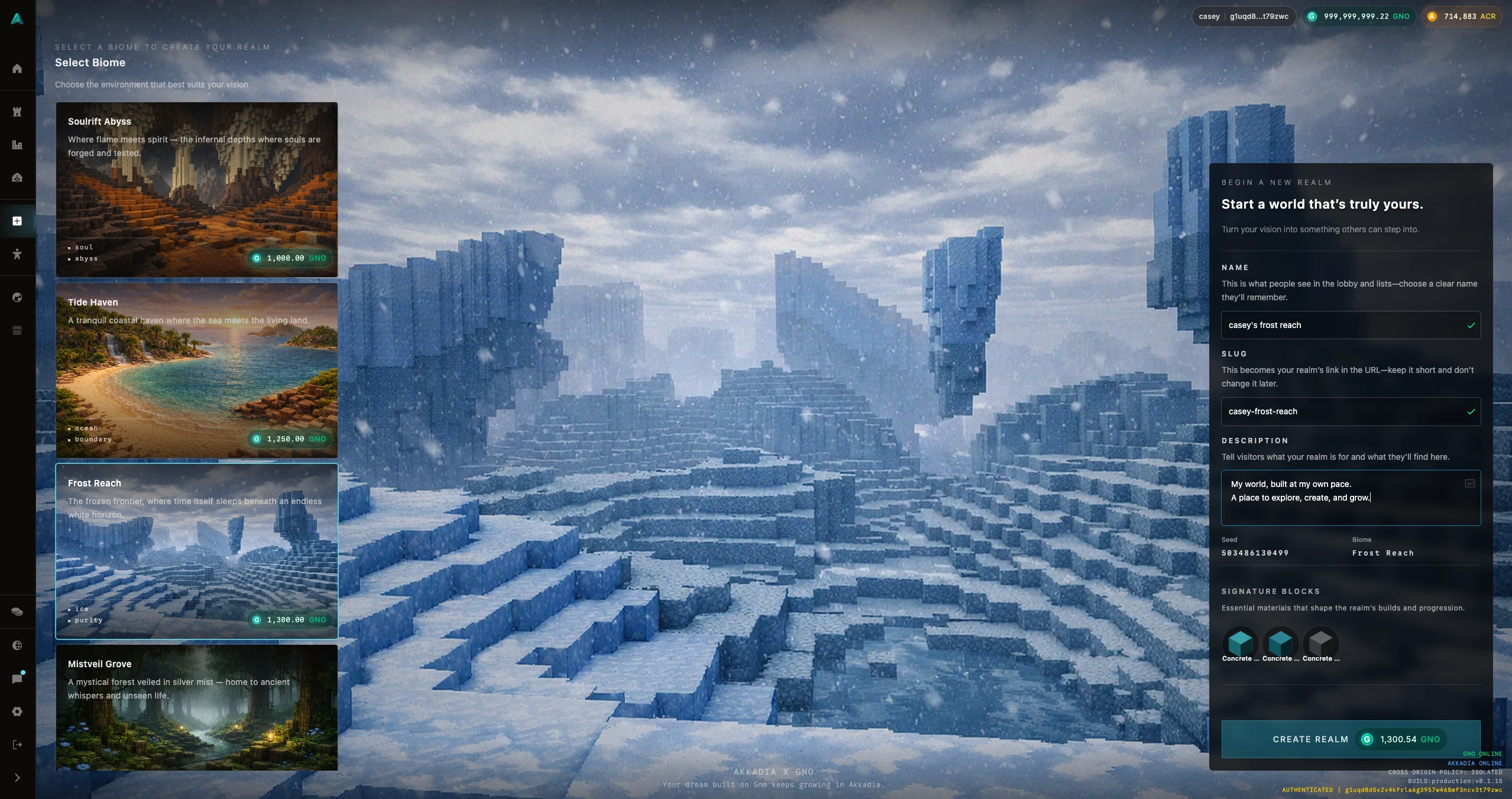
Open the Create Realm tab to make your Realm.
Choose a biome. Terrain and blocks differ by biome—deserts, frozen lands, and other regions each have their own look and feel. Pick the one that fits the world you want.
Set your Realm’s name, slug, and description.
- Name: The display name of your Realm.
- Slug: The unique key for your world. It is used in the URL (e.g. when others join or link to your Realm).
- Description: A short text that describes your Realm for visitors.
When everything is filled in, press Create Realm to create your world on-chain.
2. Expand Your World
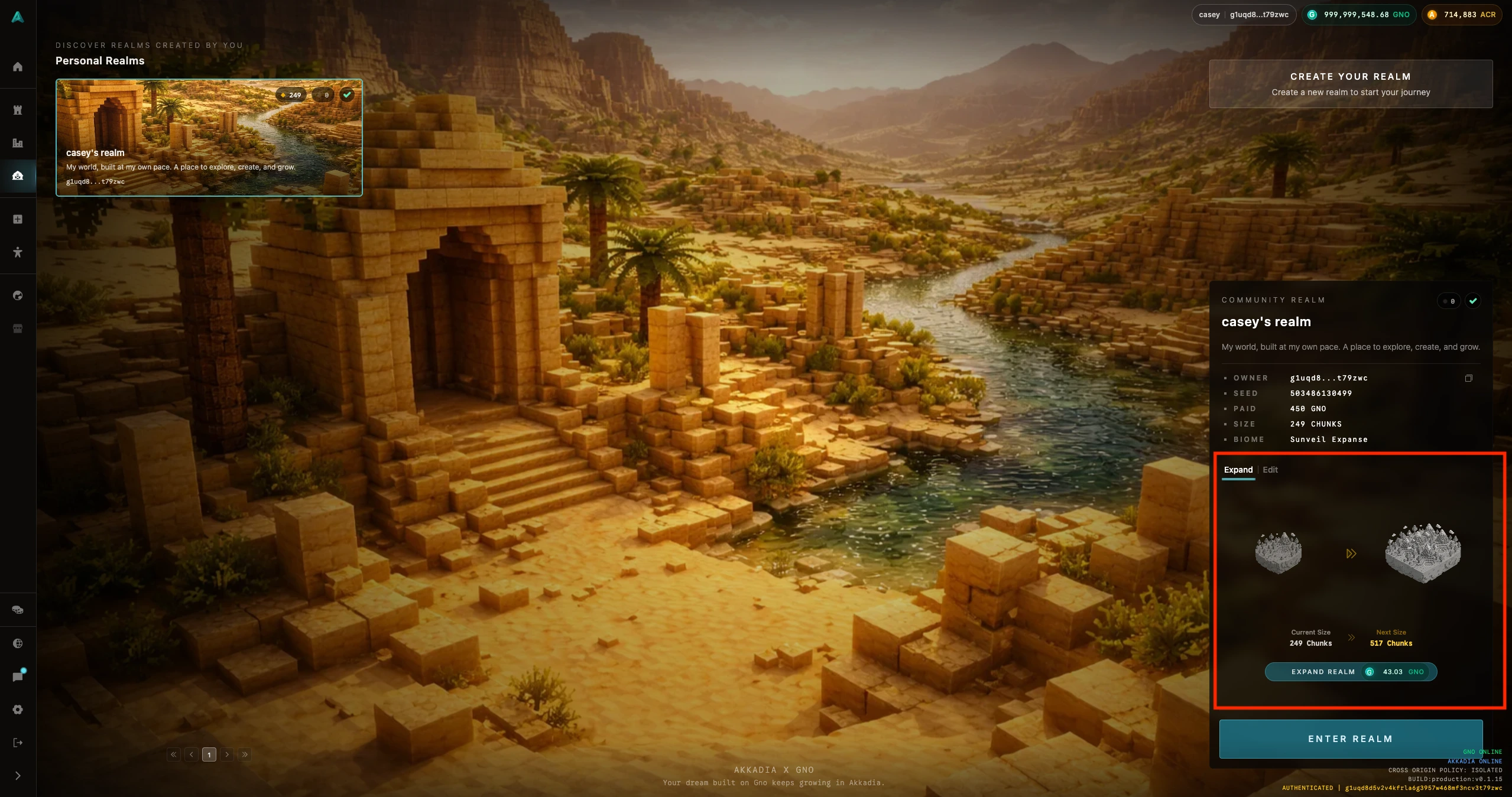
A new Realm starts with a default size of 249 chunks. You can expand your Realm to increase the playable area.
Expanding your Realm size enlarges the active area where you and others can build and explore. More chunks mean more space for structures, blocks, and activity.
3. Edit Your Realm
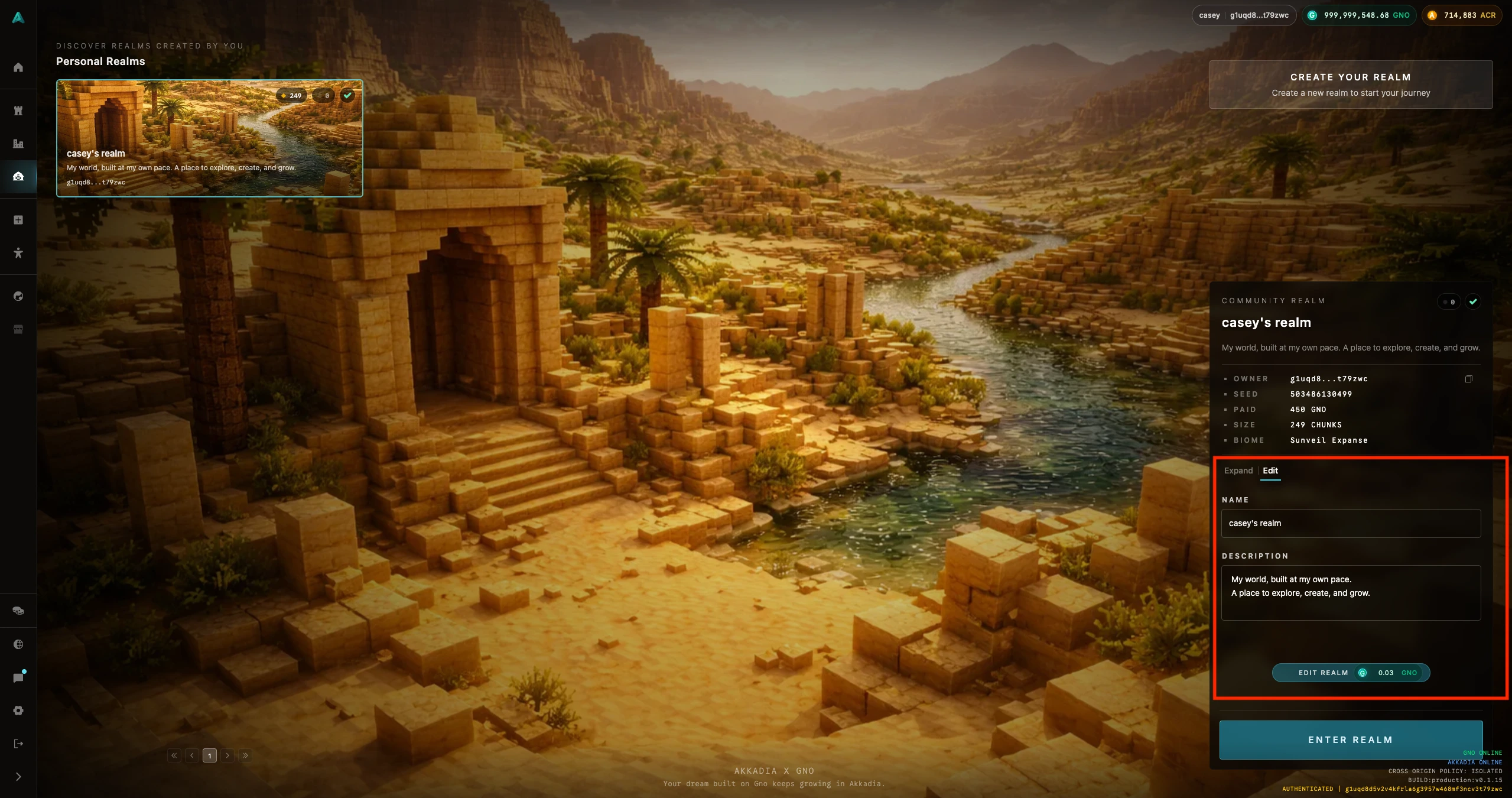
You can edit your Realm’s name and description after creation. Use this to update the title or intro text that visitors see when they enter or browse your world.
Learn more: Realm (World) · Chunk