Mint Contract Block
Use contract blocks (feature blocks) to shape and decorate your world. Buy them from the Shop, mint them into your inventory, then place and use them in your Realm. Installing, removing, and using contract blocks are all recorded on-chain.
1. Open the Shop
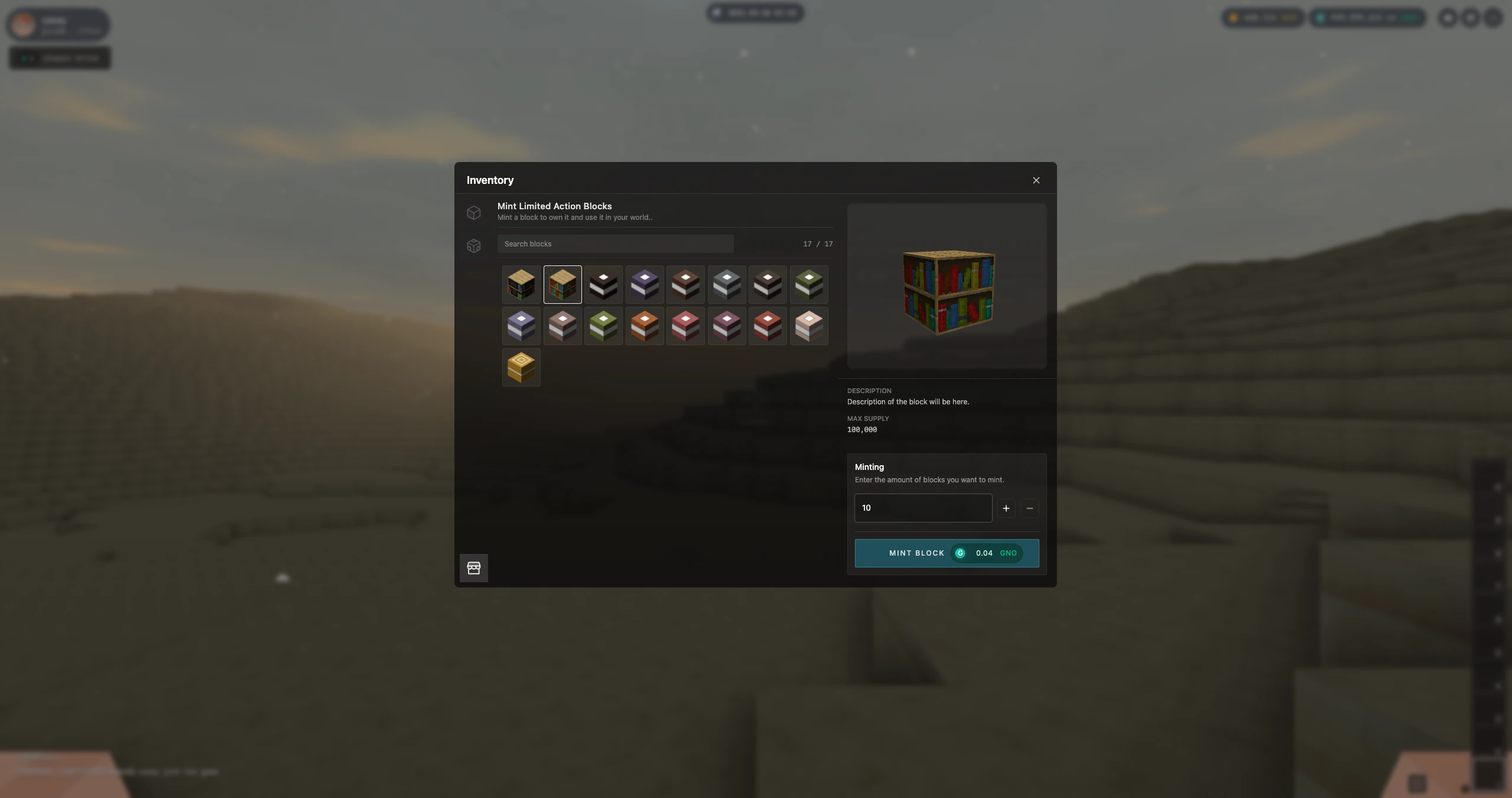
Go to Inventory and open the Shop tab. Here you can browse and buy contract blocks (feature blocks)—special, finite blocks with a wide variety of functions.
Check what kinds of blocks are available: books, lights, and other special blocks. Each has its own role and appearance.
2. Mint Contract Blocks
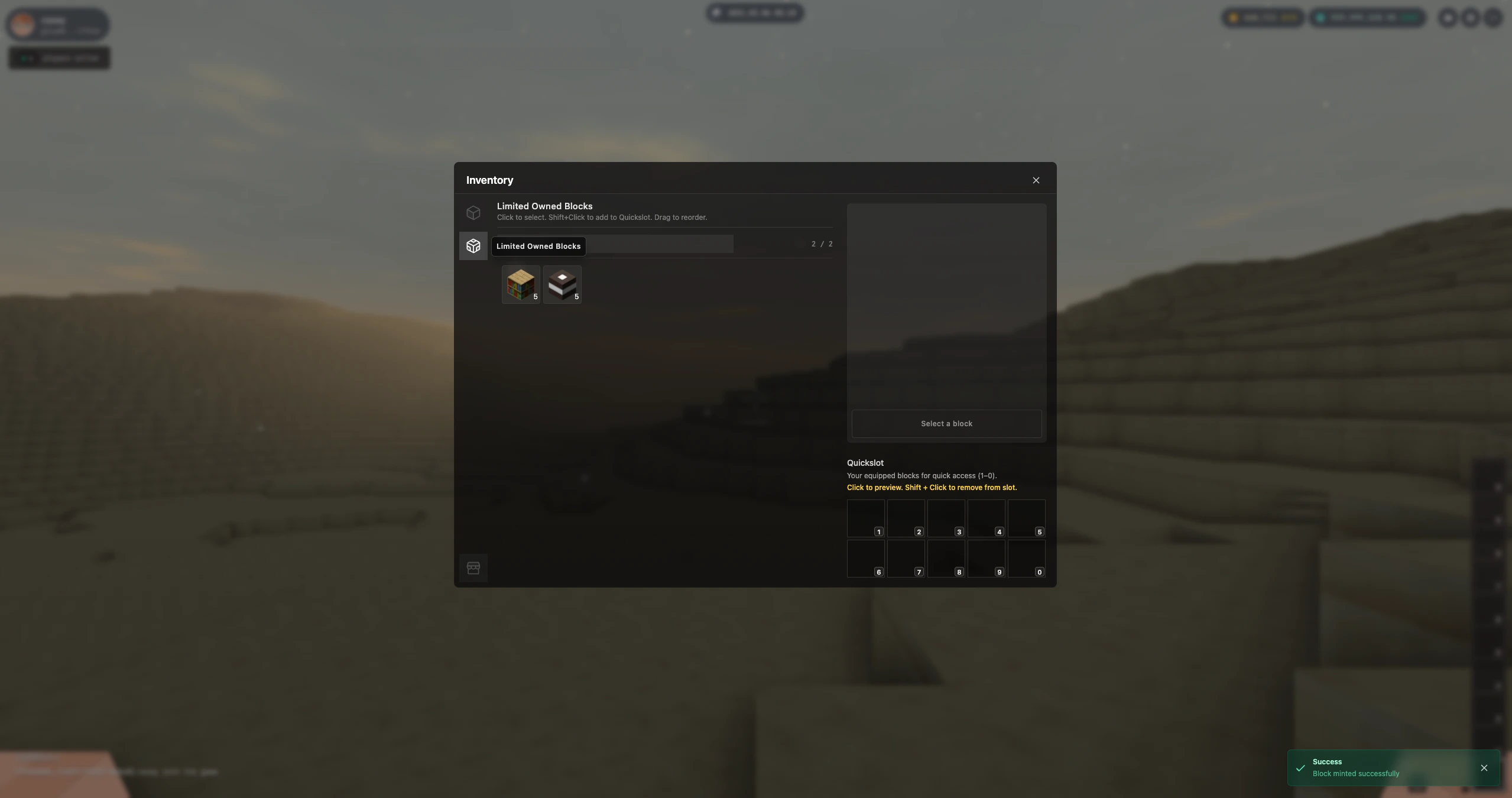
When you buy a contract block, you mint it. After minting, the block appears in your Inventory → Owned tab. You can see all the blocks you own there and use them when building in a Realm.
Minting is an on-chain action: the block is tied to your account and can be placed, used, or removed only by you (or according to the Realm’s rules).
3. Decorate Your World with Contract Blocks
Take your minted blocks into a Realm and place them. Contract blocks let you do more than basic building:
- Book blocks: Leave text, stories, or notes in your world. Other players can read what you’ve written.
- Light blocks: Add lighting and atmosphere. Use them to highlight areas or set the mood.
Explore other contract block types to find more ways to customize your world. Install blocks where you want them, use their features (e.g. open a book, turn a light on), and remove or replace them as you like. All of this is saved on-chain, so your changes stay part of that Realm.
Install, remove, and use of contract blocks are recorded on the blockchain. Your placements and interactions become part of the Realm’s persistent state.