Create Character
Create a character that represents you in Akkadia. Combine different Appearance options to make a unique look, then introduce yourself with a nickname and introduction. When everything is set, save your identity on-chain.
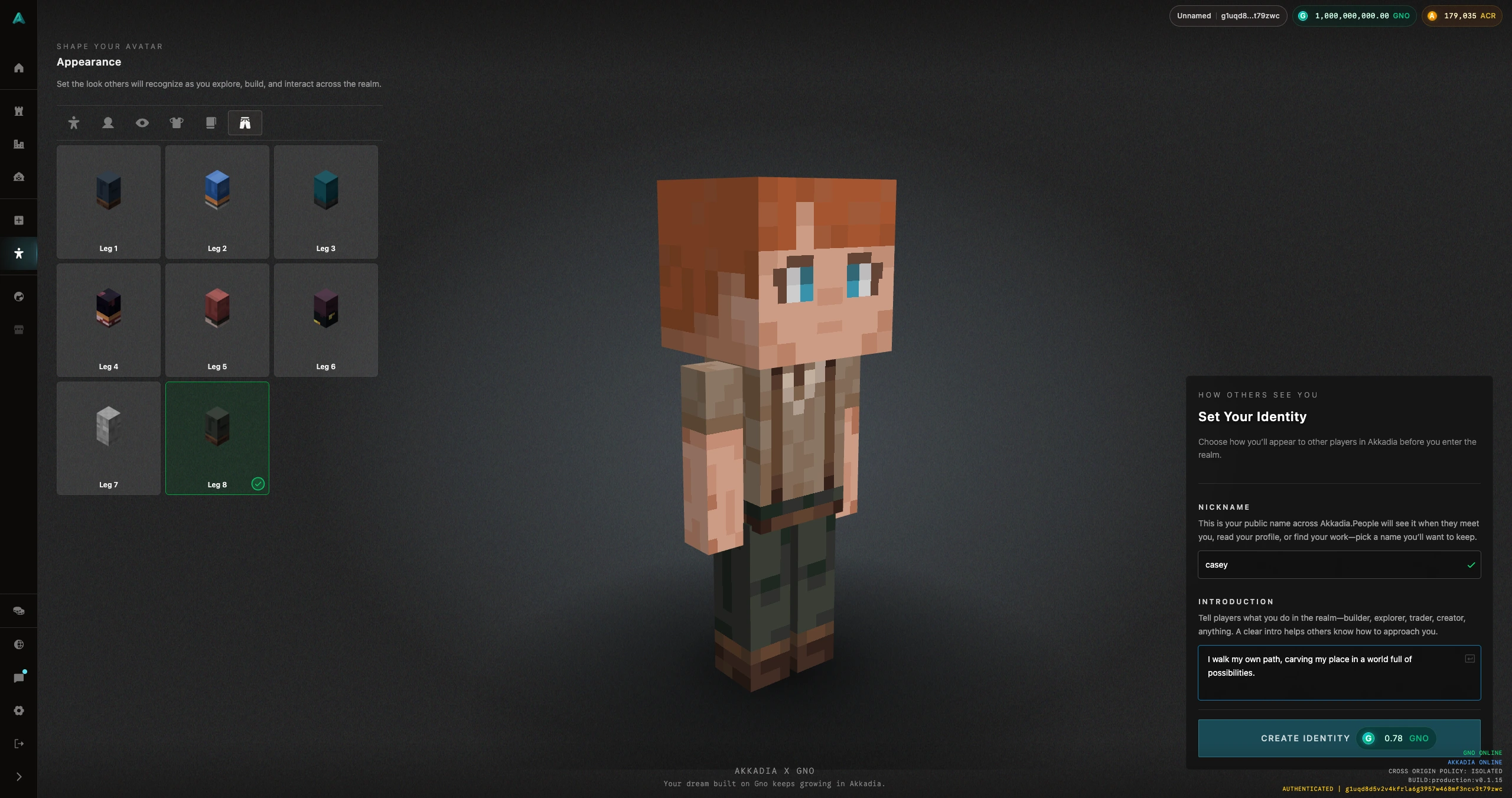
Customize Appearance
Characters offer a variety of Appearance options—body, face, hair, outfit, and more. Mix and match these parts to create a character that fits you.
There is no single “correct” look; experiment with combinations until you find your character.
Nickname and Introduction
Use the nickname to show how others see you in the game. The introduction is a short text that describes you or your character. Other players will see these when they meet you in Realms (Worlds), so use them to introduce yourself.
Save Identity On-Chain
When you are satisfied with your character’s appearance, nickname, and introduction, press Save Identity. Your identity is then recorded on-chain and will be used across Akkadia—in Realms you create or join, in chats, and when interacting with other players.
Save Identity writes your character data to the blockchain. After saving, your nickname, introduction, and appearance are tied to your account and visible to others in the game. You can edit your appearance, nickname, and introduction at any time and save again to update your on-chain identity.